


Portable WiFi - Mobile Hotspot
4.42.44K Reviews
App Specs
- Version
- 3.9.2
- Updated On
- License
- Free
- Downloads
- 10,000,000+
- Developer
- DOSA Apps
- Categories
- Communication
- Platform
- Android
Screenshots
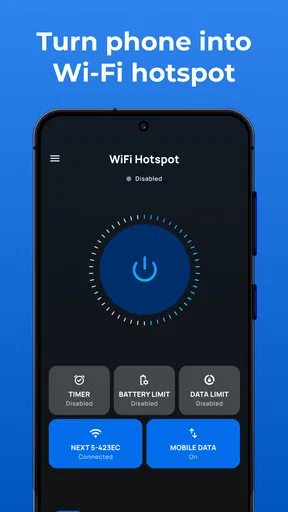
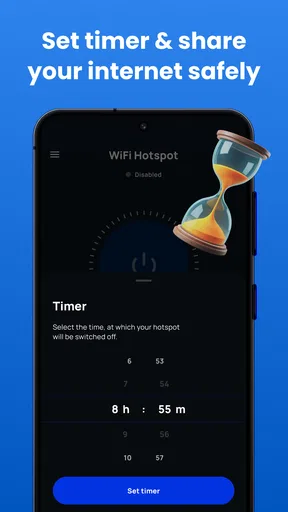
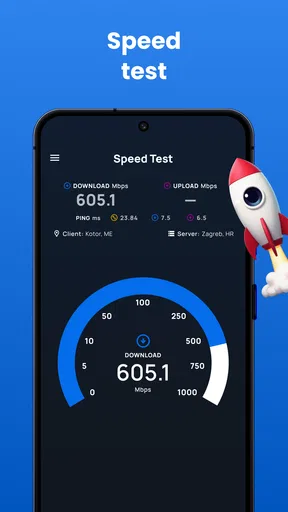
 Analysis by AppCompare
I see the appeal of a phone hotspot most clearly when I need to get a second device online and don’t want to join an unfamiliar public network. Portable WiFi - Mobile Hotspot is a communication app from DOSA Apps that focuses on making that kind of connection easier to set up. The useful idea is simple: turn your phone’s mobile connection into access for nearby devices, then keep an eye on who is using it. That convenience is real, but it works best when you understand what the app can—and cannot—control.
What a personal hotspot changes
A hotspot gives a laptop or tablet a route to the internet through your phone instead of through a café’s shared Wi-Fi. In practical terms, that can mean finishing a document during a commute, checking a work message while waiting for an appointment, or getting a tablet online in a place where no trusted network is available. The phone becomes the connection point, so the quality of the experience still depends on its mobile signal and data plan.
That distinction matters before you install anything. A hotspot app does not create mobile service where your carrier has none, and sharing data can use your plan quickly if another device streams video or downloads large files. I’d treat the app as a way to manage a connection, not as a replacement for a data plan or a dedicated travel router. If your carrier restricts tethering, that can affect the result too.
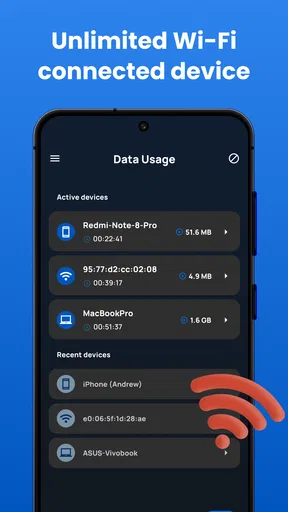
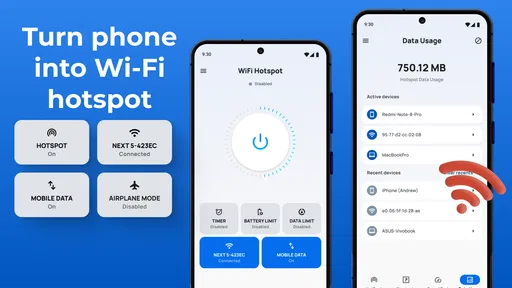
For a quick handoff, it helps to choose a password that is easy to enter correctly but not easy for strangers to guess. I’d avoid leaving a simple or familiar password in place just because it saves a few seconds. When a visit ends, checking the connected-device list is a practical habit: it helps you spot a device you do not recognize and stop sharing if you no longer need the hotspot.
Setting Up Your Personal Hotspot
First things first, downloading and setting up the Portable WiFi - Mobile Hotspot app was a breeze. You can grab it from the App Store or Google Play, and it installs faster than you can say "connectivity." Once you open it, the app guides you through a few simple steps to set up your personal hotspot. You can customize your network name and set a password to keep things secure.
What I really appreciated was the user-friendly interface. It’s intuitive and doesn’t bombard you with unnecessary jargon. Even if you’re not tech-savvy, you’ll find it easy to navigate. The app provides a clear dashboard where you can see the number of connected devices, data usage, and signal strength.
Performance and Connectivity
Now, onto the part that matters the most—performance. I was pleasantly surprised by how well the app maintained a stable connection. I tested it in different environments—coffee shops, parks, and even during a road trip. The connection was strong and consistent, which is crucial when you’re working or streaming videos on the go.
Worth Reading Before You Choose

Flipboard Shows What News Apps Must Do Beyond the Feed

Switching to Android Auto Means Rethinking Your Driving Routine

Google Calendar Makes a Crowded Week Easier to Manage

Ludo King Makes the Most of the Minutes Between Plans

Baby Panda World Brings Quick Play to Modern Phones, but Its Game Library Feels Busy

ESPN’s Live Game View Makes Following Close Games Easier
One thing I noticed is that the app doesn’t drain your phone’s battery as much as I expected. Sure, it uses more power than usual, but not to the point where it’s a major concern. If you’re someone who’s conscious about battery life, this is definitely a plus.
Keeping the connection useful in daily life
A good everyday test is a short work session away from home. Imagine arriving early for an appointment with a laptop that needs to send a file, while the venue’s public Wi-Fi asks for details you would rather not share. A phone hotspot can get the laptop online without making that public network part of your routine. I’d connect only the device I need, send the file, then switch sharing off rather than leave the hotspot running while I move around.
For a family or small group, the device list is more useful than it may sound. If a friend joins briefly to check a route, you can confirm that the extra connection is theirs and remove it when they are done. The trade-off is that every extra device can consume mobile data in the background, even when nobody is actively browsing. Before sharing with a tablet or computer, I’d pause automatic cloud backups and large app downloads where possible; this makes a limited data allowance easier to manage.
When a connection feels slow, I would check the phone’s mobile signal before changing settings or blaming the app. A hotspot can only pass along the connection the phone receives. Moving closer to a window or away from a crowded indoor corner may help if the signal is weak, while restarting sharing can be a sensible quick reset if a device fails to reconnect. Those steps are more useful than repeatedly changing the network name, which does not improve the underlying mobile reception.
Features That Stand Out
There are a few features in Portable WiFi - Mobile Hotspot that really stood out to me. For starters, the app allows you to manage connected devices easily. You can block unauthorized devices with just a tap, ensuring that your data remains secure.
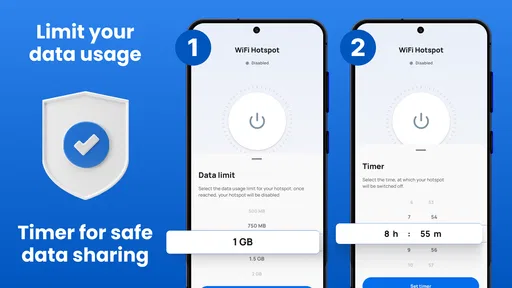
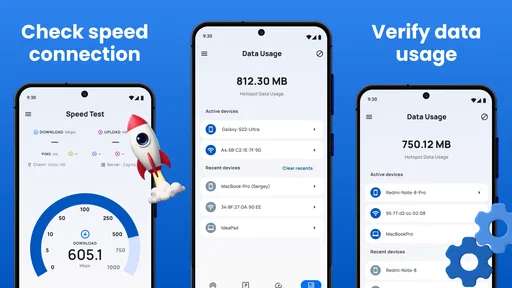
Another cool feature is the data usage tracker. It’s perfect for those who have limited data plans and need to keep an eye on their consumption. The app sends alerts when you’re nearing your limit, which is super helpful.
And let’s not forget the customizable settings. You can change the network’s SSID and password anytime, and there’s even an option to choose between 2.4GHz and 5GHz bands if your device supports it. This flexibility is great for optimizing speed and performance based on your needs.
Choosing the right way to connect
The built-in hotspot controls on a phone are the closest alternative, and for occasional sharing they may be all you need. I’d choose a dedicated hotspot device when several people need to connect regularly, when long sessions are routine, or when keeping the phone free for calls and everyday use matters more than carrying one less gadget. Public Wi-Fi can be convenient for casual browsing, but it is not the option I’d reach for when I want a private connection for a work laptop.
The band choice is a trade-off, not a universal speed switch. A compatible device may benefit from 5GHz nearby, while 2.4GHz can be the more practical choice when compatibility or reaching a device across a room matters. If an older laptop cannot see the network, trying the other band is a useful troubleshooting step. I would also make one change at a time, so it is clear whether the setting actually solved the problem.
Usage alerts can help with planning, but I would not use them as a substitute for checking the mobile account’s own data totals. A laptop can use more data than a phone through background updates, cloud syncing, and media playback. For a short task, turn off automatic updates and avoid leaving video playing; for a longer session, check the tracker occasionally and decide whether the convenience is worth the data being spent.
Security and Privacy
In today’s digital age, security is a big deal, and the developers of this app seem to understand that. The app uses WPA2 encryption, which is pretty standard and reliable for keeping your data safe. Plus, the ability to set a strong password adds an extra layer of protection.
I also appreciated the privacy policy, which is transparent about what data is collected and how it’s used. They don’t store personal data unnecessarily, which gives me peace of mind when using the app.
Who benefits most—and who should pass
I’d recommend this approach to someone who already has mobile data, occasionally needs to connect a laptop or tablet, and values a straightforward way to manage shared access. Students moving between classes, people working away from home, and travelers who need a backup for a brief task are natural fits. The dashboard and device controls are especially useful when sharing is occasional and you want to see what is connected rather than leave access open without checking.
I’d be less enthusiastic if your main goal is uninterrupted, all-day internet for multiple devices. In that situation, phone battery use, mobile coverage, data limits, and the demands of other devices all become more important; a dedicated hotspot or reliable fixed Wi-Fi may suit you better. It is also not a fix for poor reception. If your phone struggles to load a page on mobile data, a second device connected through it is unlikely to have a better experience.
The app is free to download and is rated for Everyone. It has an average rating of 4.4 from around 89,000 ratings, with over 10 million installs. The current version is 3.9.2, and in-app purchases range from about $0.99 to $99.99 per item. I’d look at any purchase details carefully before spending, and start with the free experience if your needs are occasional. The Android minimum is version 7.0.
Wrapping It Up
Overall, I’d say Portable WiFi - Mobile Hotspot is a must-have for anyone who needs reliable internet connectivity on the go. It’s easy to set up, performs well, and offers great features without overwhelming you. Whether you’re a digital nomad, a student, or just someone who travels a lot, this app can make your life a whole lot easier.
So, if you’re tired of hunting for public Wi-Fi or dealing with sketchy connections, give this app a try. It’s available for both Android and iOS, and you won’t regret having this handy tool in your digital arsenal. Happy surfing!
My practical advice is to test it before you depend on it for a deadline: connect the device you plan to use, check that it can reach the internet, and confirm you know how to stop sharing afterward. That small trial helps catch a password-entry issue or a carrier limitation while the stakes are low. For occasional, controlled tethering, the straightforward setup and device management are the appeal; for heavy use, I’d compare the cost and reliability of other internet options first.
Pros
- Easy setup and user-friendly interface.
- Supports multiple device connections.
- Customizable data limits for control.
- Secure connection with encryption options.
- Lightweight app with minimal battery use.
Cons
- Limited free version features.
- Occasional connection drops reported.
- Ads in the free version can be intrusive.
- Requires permissions that may seem excessive.
- Not all devices are fully compatible.
FAQs for Portable WiFi - Mobile Hotspot
What is Portable WiFi - Mobile Hotspot, and how does it work?
Portable WiFi - Mobile Hotspot is an app that allows your smartphone to act as a WiFi hotspot, enabling you to share your mobile data connection with other devices. Once installed, the app lets you easily toggle the hotspot feature on or off, manage connected devices, and customize security settings to ensure a secure connection.
Is Portable WiFi - Mobile Hotspot compatible with all smartphones?
The app is compatible with most Android and iOS devices that support tethering. However, compatibility may vary depending on your device model and carrier restrictions. It's recommended to check your phone's settings and carrier policy to ensure hotspot functionality is supported before downloading the app.
Does using Portable WiFi - Mobile Hotspot affect my mobile data usage?
Yes, using the app will consume your mobile data allowance as it shares your data connection with other devices. It’s essential to monitor your data usage to avoid exceeding your plan's limits, which could lead to additional charges from your carrier. The app may provide data usage tracking features to help manage consumption.
How secure is the Portable WiFi - Mobile Hotspot app?
The app offers several security features, such as password protection and encryption to safeguard your hotspot connection. Users can customize security settings to prevent unauthorized access. However, it's crucial to regularly update the app and your device to ensure the latest security measures are in place.
Do I need a special plan to use Portable WiFi - Mobile Hotspot?
While most standard mobile data plans include hotspot capabilities, some carriers may require an additional tethering plan or charge extra fees. It's advisable to review your carrier's terms or contact them directly to confirm if your current plan supports using your phone as a hotspot without incurring extra costs.


